

Every industry out there has its own version of a security nightmare. If you run a healthcare facility, it’s a HIPAA violation because some unauthorized person wandered straight into a pharmacy storage room. For defense contractors or tech startups, it’s a physical intruder slipping into the server closet and plugging into the network. Even if you just run a standard warehouse or manufacturing plant, you still have OSHA regulations and supply chain safety audits breathing down your neck.
Physical security is no longer just about locking the front door when you leave for the night. It is about proving exactly who went where, and when they did it.
If you manage any kind of commercial property, you already know that regulators and insurance companies absolutely love paperwork. They want logs, audits, and bulletproof compliance. That is why relying on old-school brass keys just does not cut it anymore. Meeting today’s strict safety rules requires a setup you can actually trust. A Quality Access Control System does way more than just lock down your building; it serves as your primary defense for meeting tough compliance audits without making the workplace an absolute nightmare for your everyday employees to navigate.
The Big Headache of Modern Industry Standards
Compliance is rarely fun. Whether your business answers to PCI-DSS (if you handle credit card data), HIPAA (for medical privacy), or SOC 2 (for technology and data companies), the physical security rules are surprisingly strict.
Most of these regulatory standards demand that you do a few specific things:
- Restrict access to sensitive areas to authorized workers only.
- Keep a digital, unalterable history log of all entries and exits.
- Quickly cancel access privileges the moment an employee leaves the company.
- Prevent “tailgating” (which is just when someone slips through a door right behind a worker who scanned in).
If you are trying to manage a busy facility using traditional lock-and-key setups, meeting these expectations is pretty much impossible. You would basically need a security guard standing at every single door with a clipboard and a pen. A modern electronic system automates the whole thing, taking human error completely out of the equation.
Moving Past the Old Brass Key
We all know how standard keys work, and honestly, we all know their flaws. Employees lose them constantly. Former workers “forget” to drop them off on their last day. Then you have to call a locksmith to rekey an entire building, which gets incredibly expensive and wastes tons of time. From an audit perspective, a traditional key is a massive liability because it leaves zero digital footprint behind.
Switching things up with advanced electronic hardware changes the whole game. Instead of carrying a heavy keyring, employees use digital credentials that talk directly to a central network. This shift is incredibly important for modern commercial property security, where having trackable data is just as vital as having a physical lock on the door.
The Everyday Workhorses: Door Access Card Readers
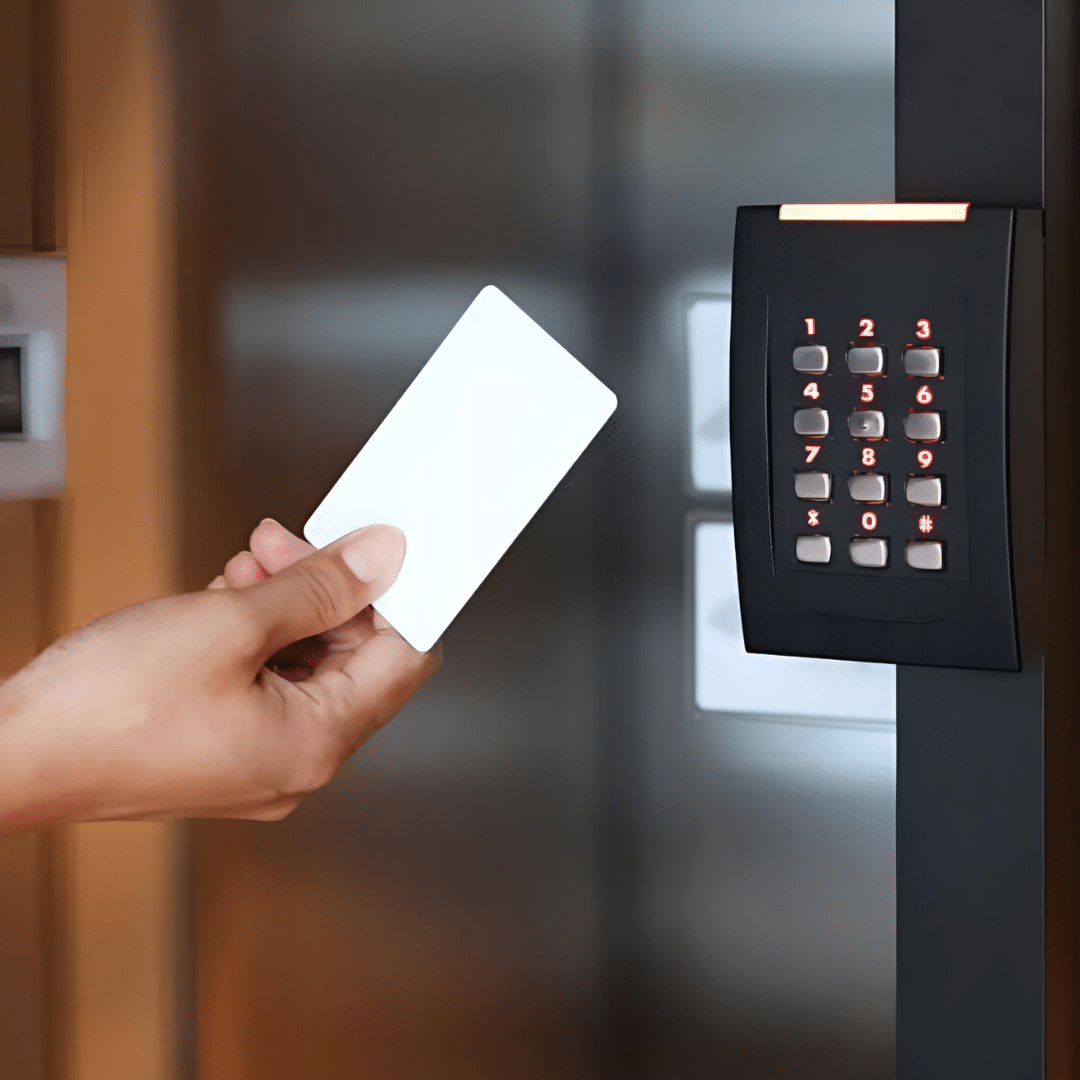
When people picture electronic building security, they usually think of the little black boxes mounted right next to the door frame. These Door Access Card Readers are the true workhorses of any commercial setup.
They generally come in a few different styles depending on what your specific building requires:
Stand-Alone Systems
These are completely self-contained units. They are usually put on single doors or used in smaller facilities. They are fantastic for busy areas where you need a fast installation without running miles of wires through old walls. They keep things simple but still offer a massive upgrade over basic mechanical locks.
Networked and Cloud-Based Readers
For larger operations, the readers are wired back to a central control panel or hooked up to a secure cloud network. This lets you make permission changes instantly from anywhere. If an employee loses their credential card at 9:00 AM, you can log onto your phone and deactivate it by 9:02 AM so nobody else can use it.
How Quality Systems Actually Satisfy Audits
When security auditors show up at your office, they do not just want you to point at a locked door. They want to see hard proof. They are going to ask to see access logs for specific dates, times, and rooms.
A professional system handles this automatically by building a continuous digital audit trail. Every time a keycard gets tapped up against one of the Door Access Card Readers, the system starts writing down the person’s name, the day, the exact second, and then whether they were let in or turned away.
So if a government inspector wants to see who entered the main server room last Tuesday at 3:00 AM, you do not need to guess or spend hours watching grainy security camera footage. Instead, you run a quick report inside the software, export it, and hand it over. That kind of swiftness keeps inspectors satisfied and also shields your company from big compliance penalties.
Setting Up Custom Access Zones
Not every single person on your payroll needs access to every square inch of your facility. A warehouse team member probably does not need to be hanging out in the HR filing room, and an accountant has no real reason to wander into the chemical storage area.
A solid system lets managers create highly customized access groups. You can easily restrict permissions based on a few different factors:
- Job Role: Only the IT team can open the data closets.
- Time of Day: The cleaning crew might only be allowed in between 6:00 PM and 10:00 PM.
- Day of the Week: You can block weekend access for everyone except top managers.
By controlling who goes where, you cut down on internal risks. If something goes missing or a safety issue happens, your pool of potential answers is already narrowed down to the few people who actually had physical permission to be in that zone.
Avoiding the “Wrong Specs” Trap
One major headache that property managers run into all the time is hardware compatibility. It happens constantly: a business orders a bunch of high-tech gear online based on old building blueprints, then realizes during installation that the new readers just will not talk to the existing door locks, or the wiring does not line up with the actual walls.
Getting your hardware right on the first try saves thousands of dollars in headaches and downtime. Working with top-tier brands like DoorKing helps, because you’re getting equipment designed for heavy commercial use. Still, you also need the right guidance upfront to match those products to your specific wall types, door styles, and the local network setups.
Tying Physical Security and Cybersecurity Together
Modern compliance guidelines do not treat physical security and digital security like two separate things anymore. Today, they are completely tied together.
If an intruder can simply walk right past your front desk and plug a stray thumb drive into a company computer, your expensive digital firewalls and network encryption do not mean much. By locking down the perimeter with commercial-grade readers, you create the very first line of defense for your digital data. Many advanced systems can even link up directly with your IT department’s employee directory. That means when HR removes a terminated employee from the computer system, their physical building access card gets turned off at the exact same moment.
Finding the Best Setup for Your Building
Every commercial property has its own weird layout quirks. Some spots need heavy-duty, weatherproof outdoor readers to handle gate entry out in the rain, while other businesses just need sleek, low-profile indoor readers that blend into a modern office hallway.
Upgrading your building’s infrastructure to meet tough industry standards does not have to turn into an overwhelming mess. If you are trying to lock down your perimeter, keep your data safe, and clear your next security audit without all the stress, getting the right hardware layout is the best place to start.
Take a look at our commercial security options and get in touch with our team to find the exact hardware setup for your facility by visiting R3 Access.
Frequently Asked Questions
How does an access control system help pass a security audit?
It does all the annoying tracking work for you by automatically logging every entry event. Instead of making people sign paper clipboards, the system saves the user ID, time, and door location for every single scan. When an auditor asks for proof of physical compliance, you can pull up a clean digital report in just a couple of minutes.
Can I use these systems for both indoor and outdoor doors?
Yes, absolutely. Commercial readers are built differently depending on where they go. Indoor models are usually small and sleek so they look good on office walls, while outdoor readers are built inside tough, weather-resistant housings that can take heavy rain, snow, and freezing temperatures on outside gates or loading docks.
What happens to the system if the power goes out?
Professional setups use backup batteries that keep the control panels and readers working for hours if the power drops. Also, the electronic locks themselves are set up as either “fail-safe” (doors unlock automatically so people can escape safely during a fire or emergency) or “fail-secure” (doors stay locked to keep things safe), depending on your local fire codes.
Is it hard to change permissions if an employee leaves the company?
Not at all; it takes seconds. Unlike old metal keys where you have to hunt the person down to get the key back or pay to change the physical locks, electronic cards can be turned off instantly. You just open the management software, find the person’s name, and click deactivate. The card stops working instantly at every door.
Why should I talk to an advisor before buying security hardware?
Commercial buildings are notorious for having outdated blueprints or unique door frames that will not fit standard, off-the-shelf parts you buy online. Talking to an expert beforehand ensures that the card readers, electronic locks, and control panels you purchase will actually fit your building’s physical structure and wiring, saving you from major installation delays.